Sales & customers
From quotation to collection: create the quotation, convert it to an invoice, record payments and follow every customer balance.
The sales path
From customer to reports
- Customer
- Quotation
- Sales invoice
- Payment
- Journal entry
- Dashboard and reports
Quotations
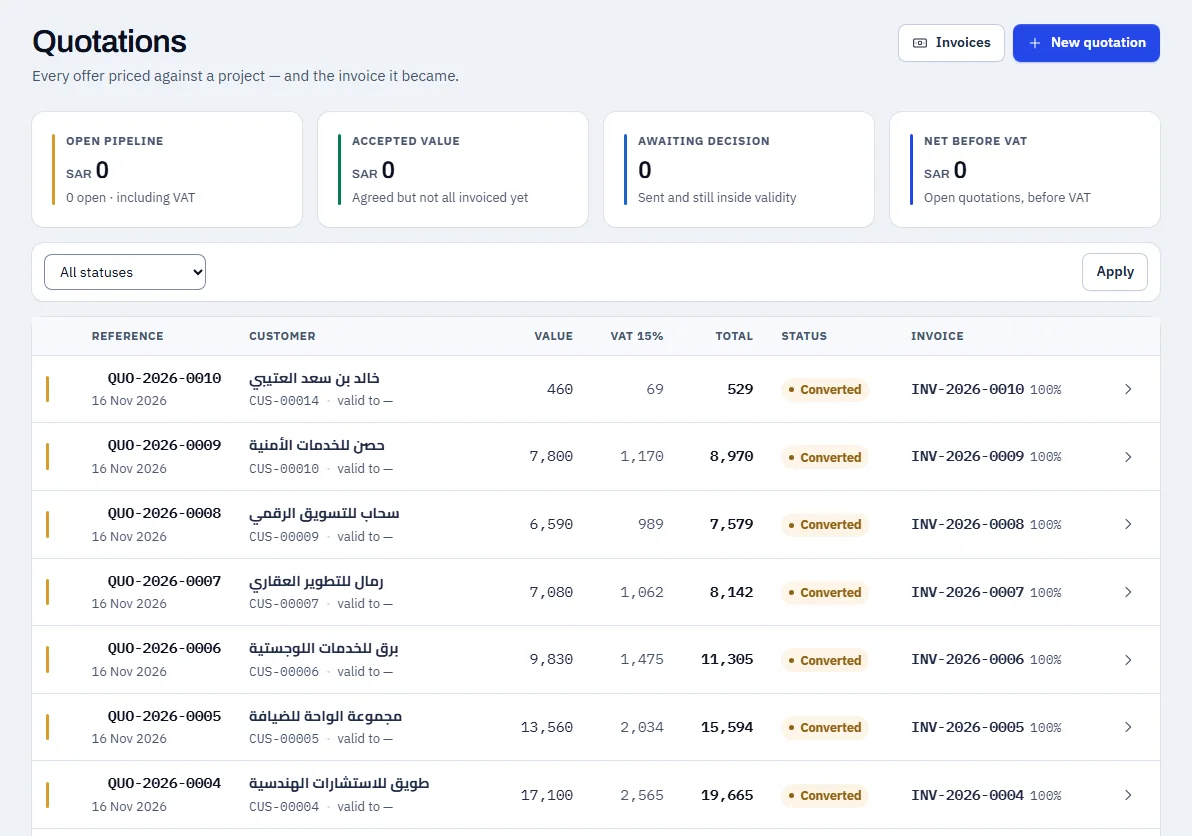
Create a quotation for a customer, send it, and convert it to an invoice when accepted. Every field carries from the quotation to the invoice without re-entering.
- Pick items from the catalogue
- Clear statuses: sent, accepted, converted
- VAT on the taxable lines, according to the configuration
Swipe sideways to see the whole screen
The invoice and payments
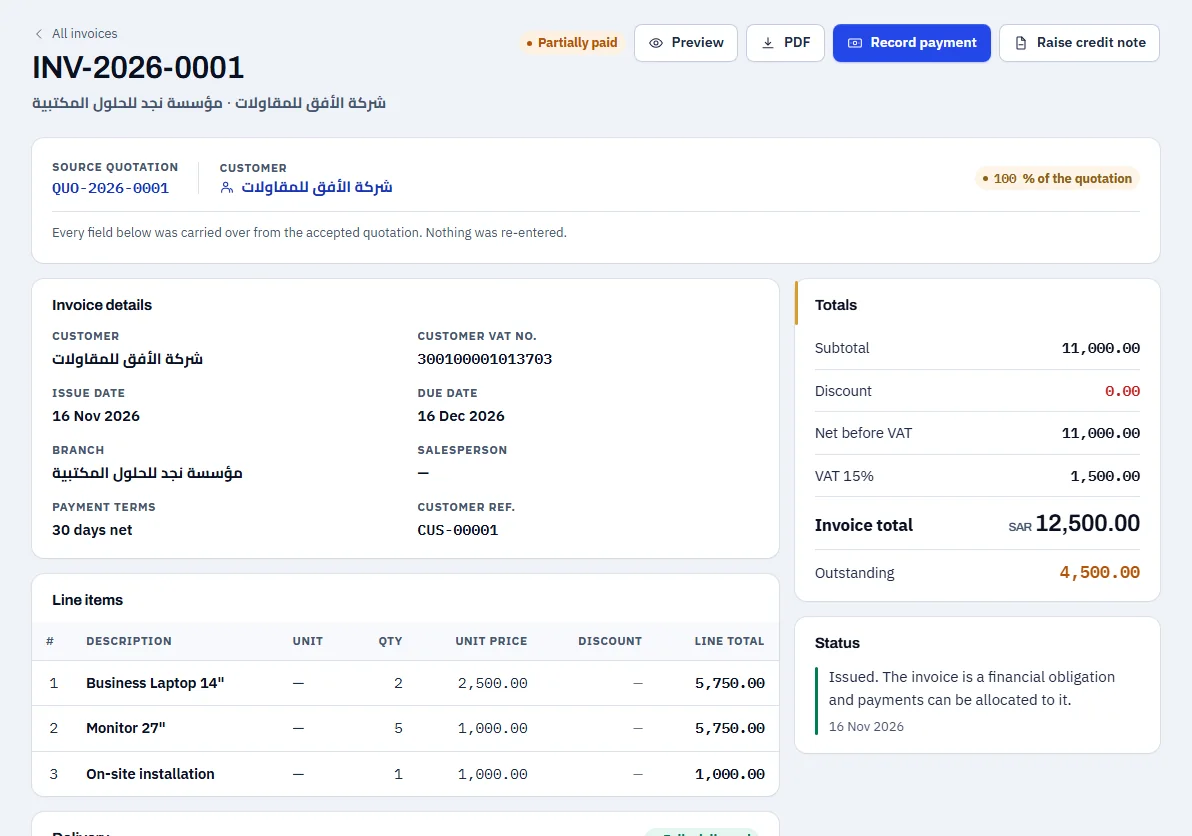
The invoice shows subtotal, VAT, total and what is outstanding. Record a full or part payment and the balance updates at once.
- Part payments with the remainder shown
- Protected against recording the same payment twice
- Print the invoice or download it as a PDF
Swipe sideways to see the whole screen
The customer statement
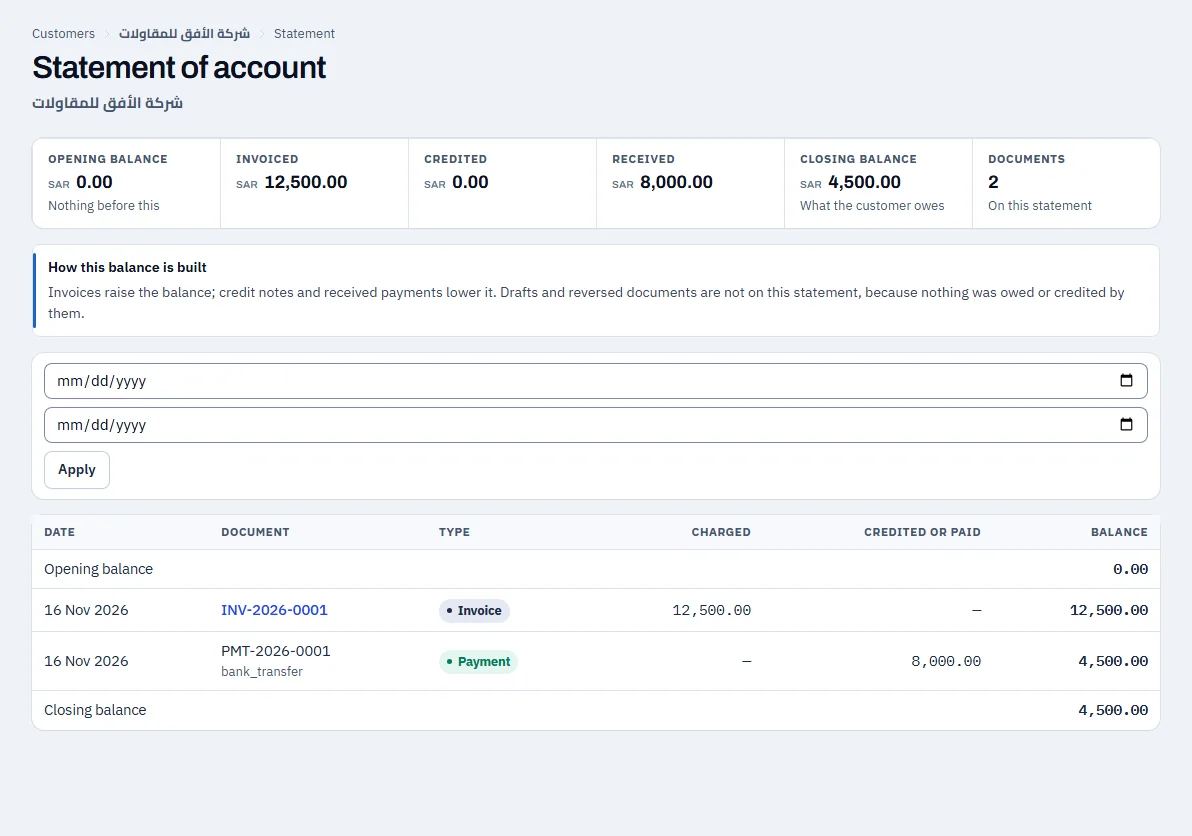
Every invoice and payment with its date, and the closing balance owed by the customer.
- Opening balance, invoiced, received and closing balance
- For a period you choose
Swipe sideways to see the whole screen
Receivables
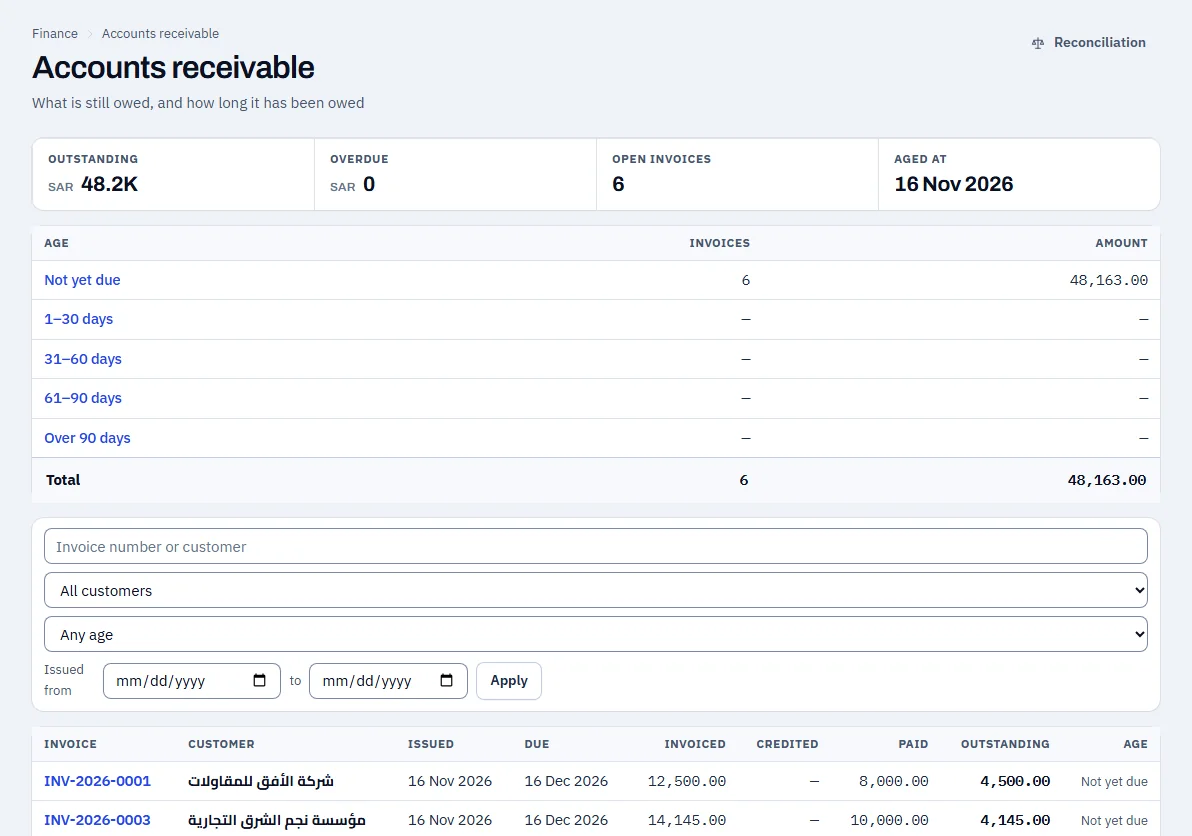
What every customer owes, grouped by how long it has been due, with the list of open invoices.
- Ageing: not yet due, then overdue bands
- From the total to the invoice in one click
Swipe sideways to see the whole screen
The demo example
| Item | Amount (SAR) |
|---|---|
| Invoice total (including 1,500.00 VAT) | 12,500.00 |
| Paid | 8,000.00 |
| Still owed by the customer | 4,500.00 |
See NOVA on data that looks like your business
Request a demo and the Coder Link team will get in touch to agree a time.