Home / Purchasing & suppliers
Purchasing & suppliers
From purchase order to payment: receive the goods, record the supplier bill and pay it in instalments, with what remains shown for every supplier.
The purchasing path
From supplier to stock
- Supplier
- Purchase order
- Goods receipt
- Supplier bill
- Payment
- Stock and journal entry
Receiving
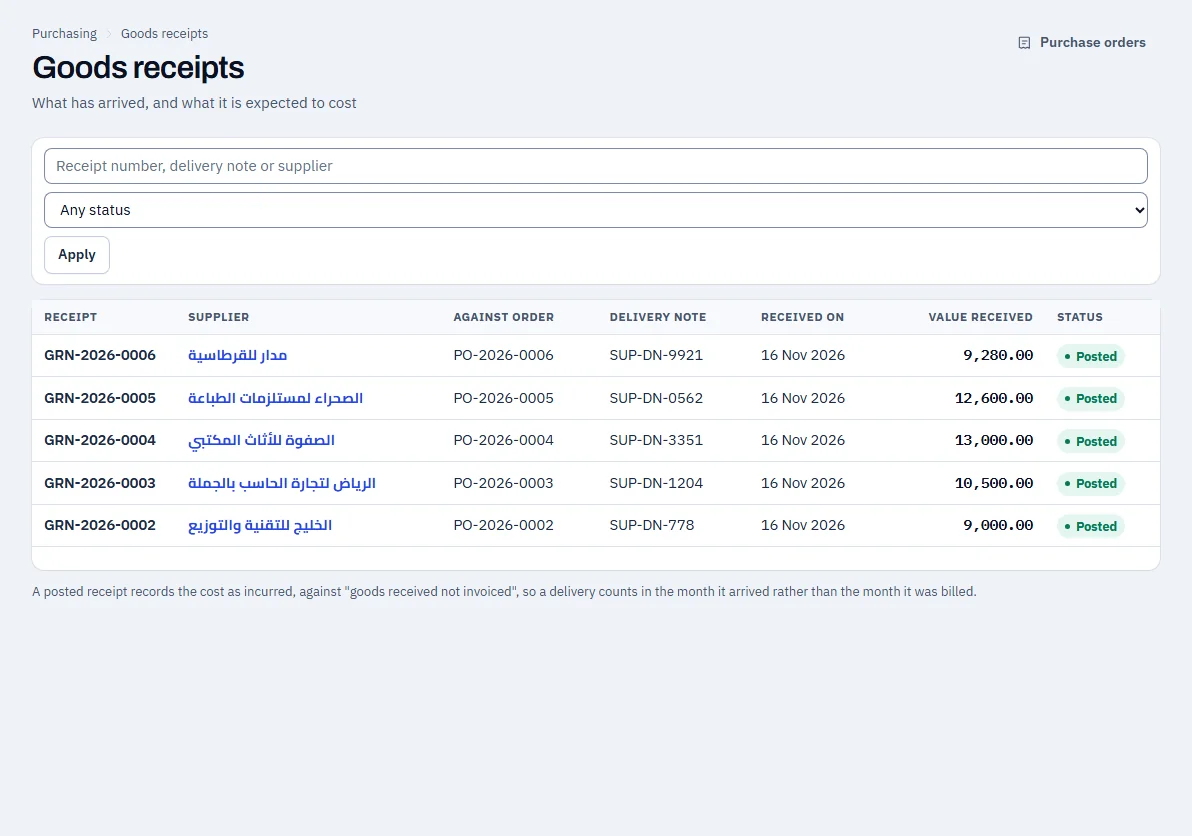
Record the receipt of goods against the purchase order, in full or in part. A receipt adds to the stock balance and is recorded in the ledger.
- A receipt linked to the purchase order and the supplier’s delivery note
- Adds to the warehouse balance as soon as it is posted
Swipe sideways to see the whole screen
The supplier bill and payment
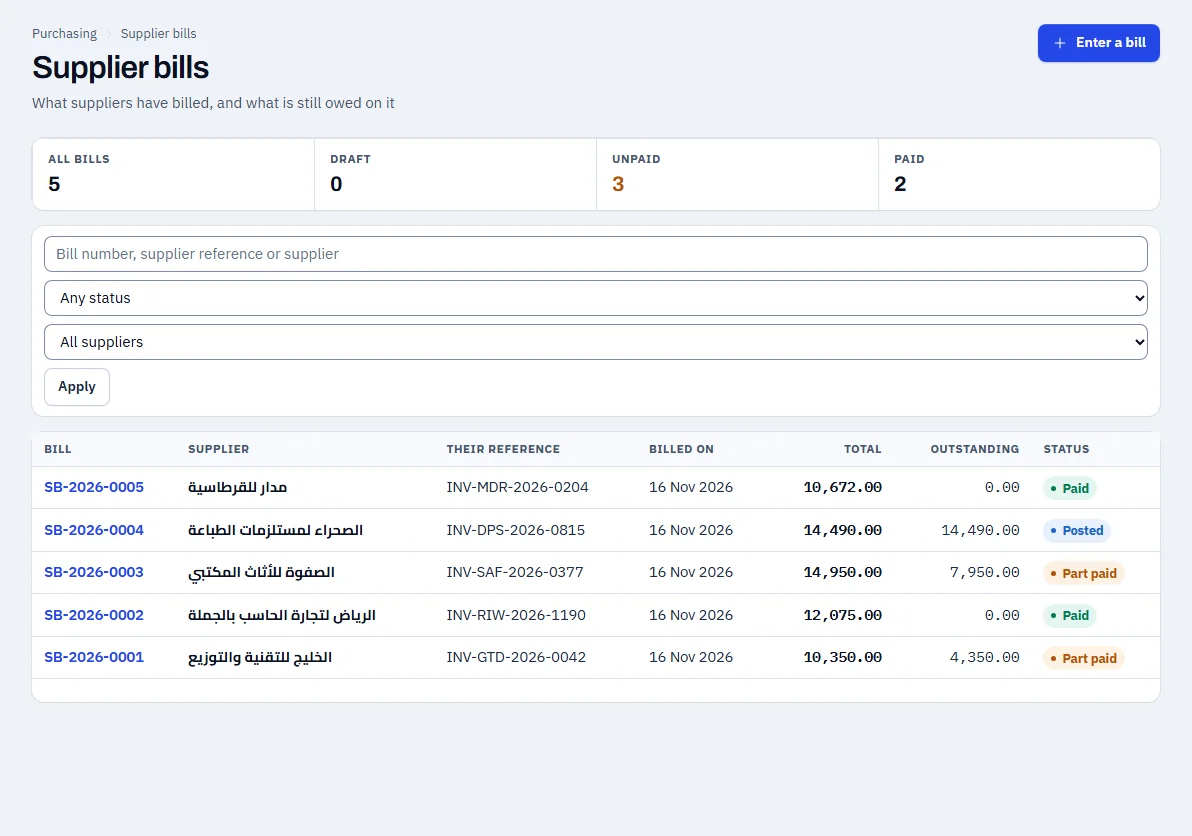
Enter the supplier bill linked to the receipt, then pay all of it or part of it.
- The supplier bill is linked to the receipt
- Part payments, with the remainder shown
- Input VAT is recorded with the bill
Swipe sideways to see the whole screen
Purchase orders
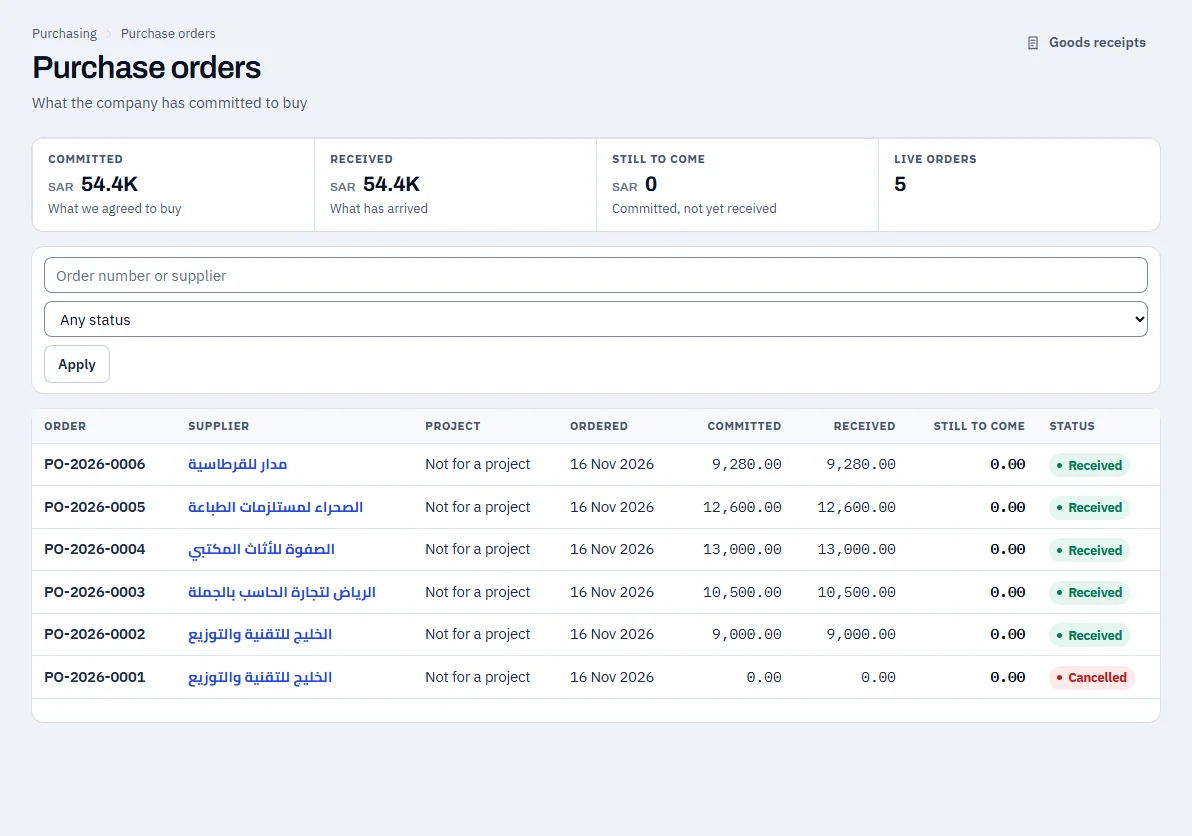
Purchase orders by status, received or cancelled, with the committed and received amounts.
- Committed, received and what is still to come
- Cancel a purchase order when needed
Swipe sideways to see the whole screen
The demo example
| Item | Amount (SAR) |
|---|---|
| Supplier bill (including 1,350.00 VAT) | 10,350.00 |
| Paid to the supplier | 6,000.00 |
| Still owed to the supplier | 4,350.00 |
See NOVA on data that looks like your business
Request a demo and the Coder Link team will get in touch to agree a time.