An integrated ERP to run your business from one place
Sales, purchasing, inventory and accounting in one system, with a full Arabic and English interface. The invoice, the customer statement, receivables and the dashboard show the same number.
Demo example:A real NOVA screen with data for a fictional demo company (Najd Office Solutions).

Who is NOVA for?
Small and medium businesses that sell, buy and keep stock, and want sales, purchasing, inventory and accounts in one place instead of scattered spreadsheets.
Problems every owner knows, and what NOVA does about them
The same number on every screen
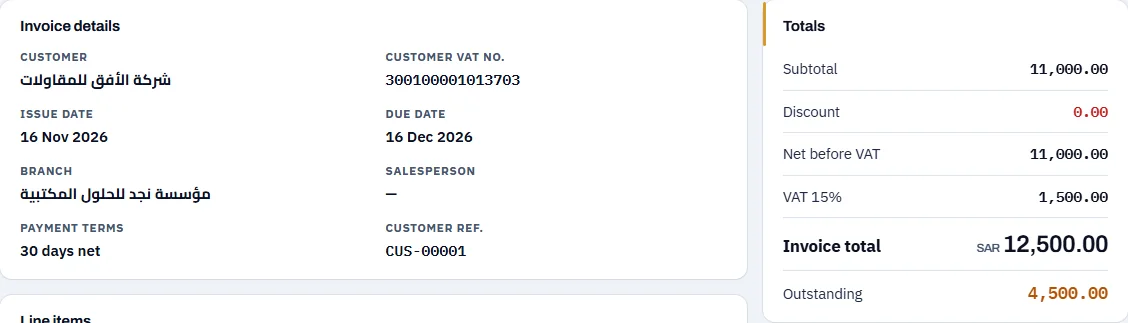
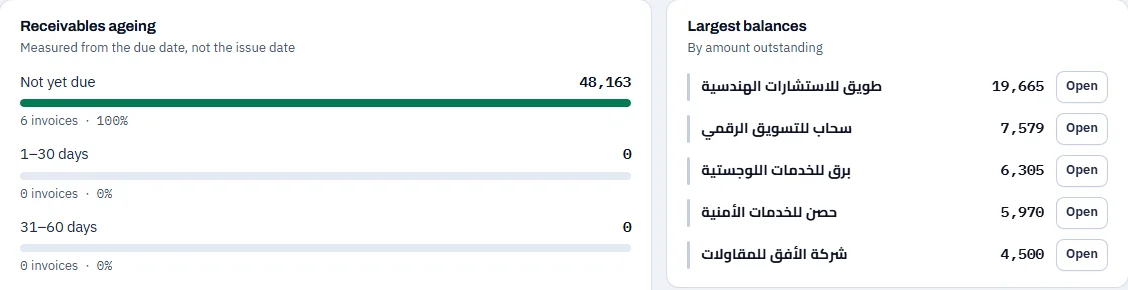
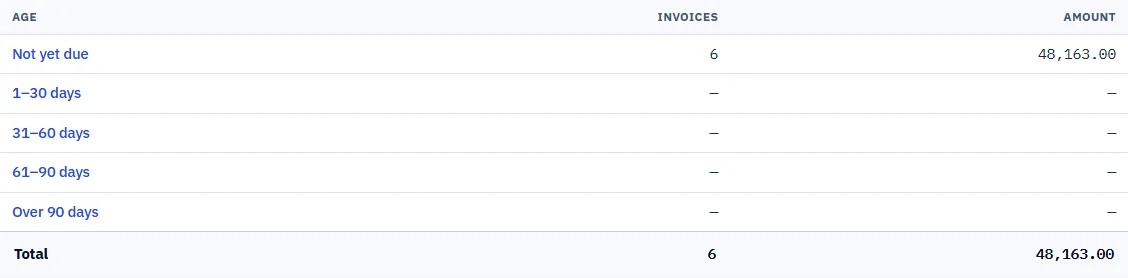
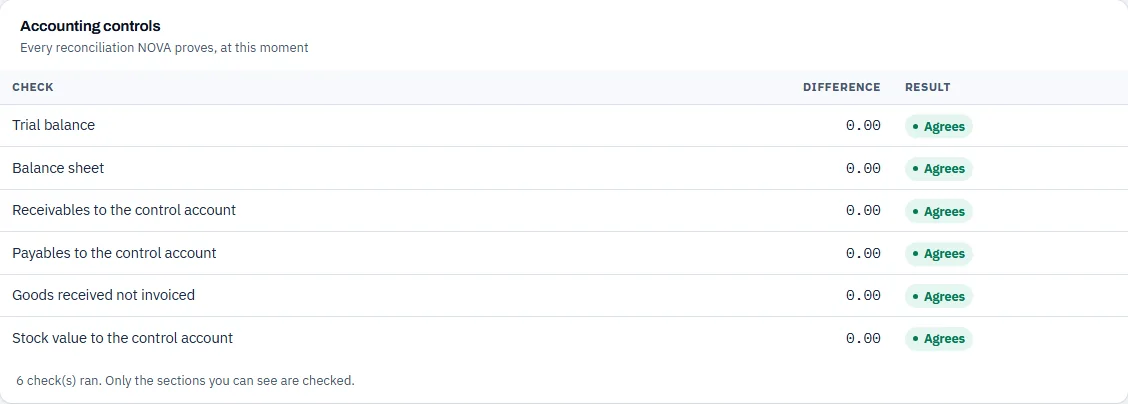
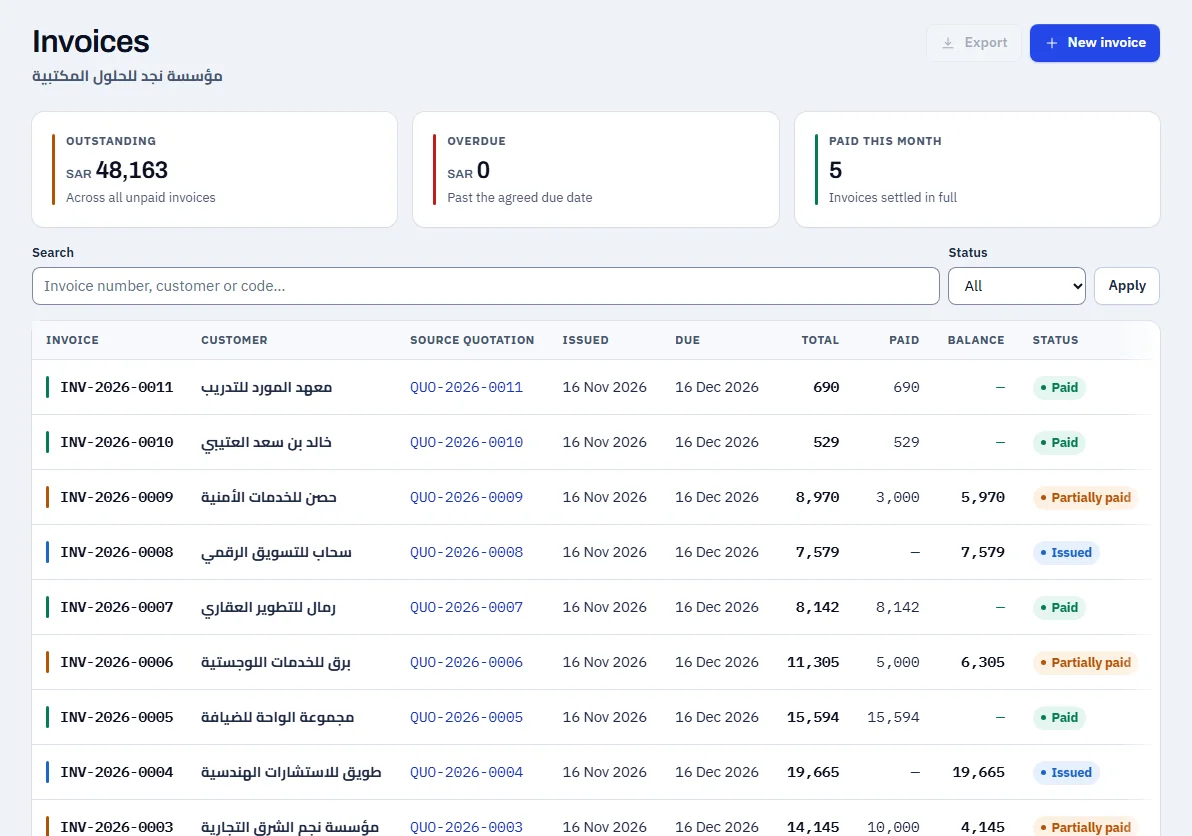
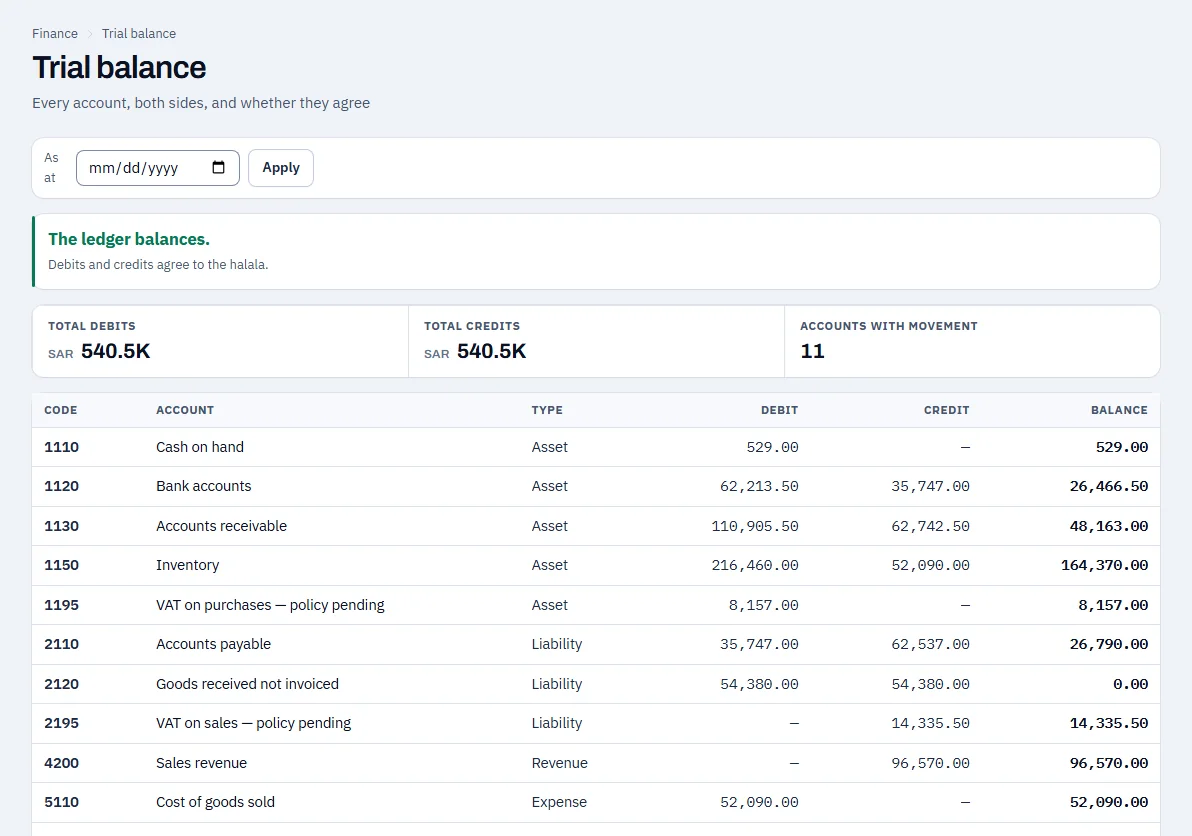
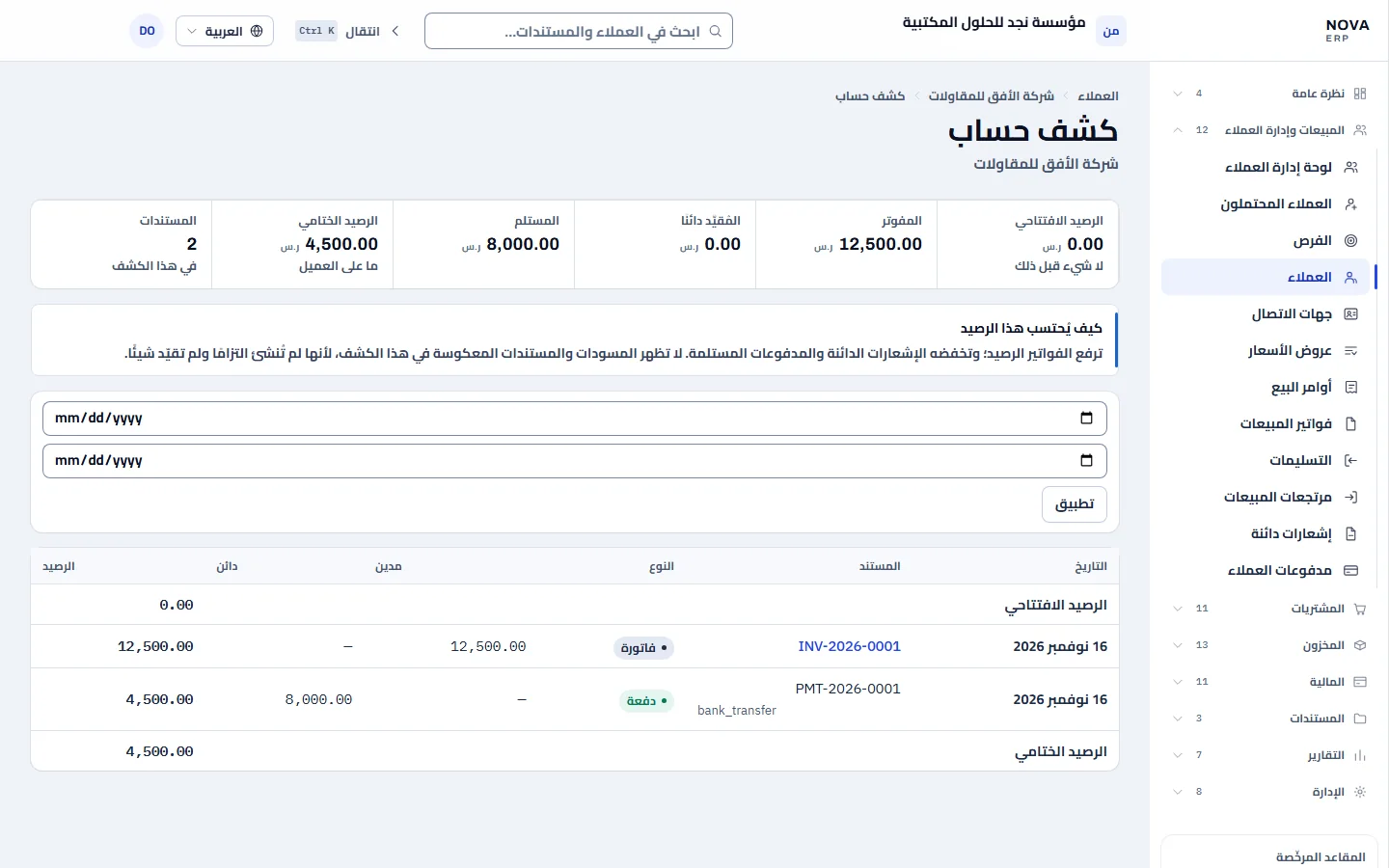
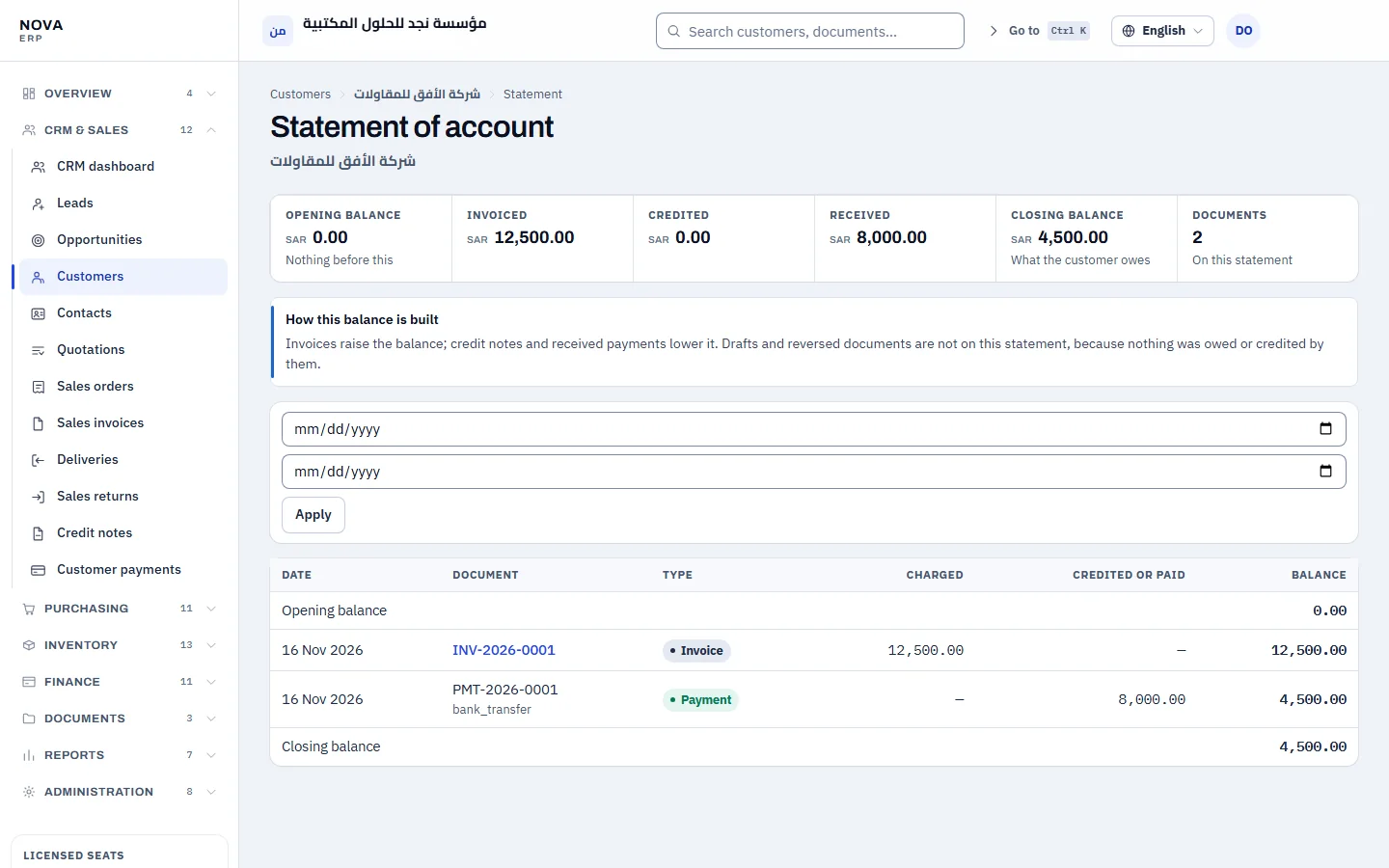
In the demo example below, the amount a customer still owes is 4,500.00 SAR. Follow it across five real screens: they all show the same number, and NOVA checks that customer balances agree with the receivables account in the ledger.
Swipe sideways to see the whole screen

Swipe sideways to see the whole screen
Swipe sideways to see the whole screen
Swipe sideways to see the whole screen
Swipe sideways to see the whole screen
The working path, as the system runs it
From customer to reports
- Customer
- Quotation
- Sales invoice
- Payment
- Journal entry
- Dashboard and reports
From supplier to stock
- Supplier
- Purchase order
- Goods receipt
- Supplier bill
- Payment
- Stock and journal entry
Sales & customers: from quotation to collection
Create a quotation from the item catalogue, convert it to an invoice, record part payments, and follow every customer balance.
- Quotations that become invoices without re-entering
- Part payments, protected against recording the same payment twice
- Statement and receivables by days overdue
Swipe sideways to see the whole screen
Accounting: balanced entries and a trial balance
Every transaction is recorded in a journal entry, and the system does not accept an unbalanced one. The general ledger and trial balance are ready at any moment.
- Debits always equal credits
- A ledger per account with its movements
- VAT calculated and shown on documents and reports, according to the system configuration
- Receivables, payables and stock reconciled to the ledger
Swipe sideways to see the whole screen
More of NOVA
- Purchasing & SuppliersPurchase orders, receipts, supplier bills, payments and payables.
- InventoryItems, warehouses, movements and stock value, with over-issuing blocked.
- Reports & DashboardsSales, purchasing, inventory and finance reports and a dashboard of company figures.
- Users & PermissionsRoles, permissions and licensed seats for each company.
Arabic and English on the same data
The interface is complete in Arabic, right to left, and in English, left to right, and each user chooses their language.
Swipe sideways to see the whole screen
Swipe sideways to see the whole screen
Control, permissions and protection
The essentials for an owner. The details are on the Security & Reliability page.
Each company’s data is separate
Each company runs in its own environment with its own data and users.
Permissions by role
Each user sees what their role needs: accountant, sales, operations, or view-only.
One device per account
Each account works on one device at a time.
Scanned documents
Uploaded files are scanned before they can be opened.
See NOVA on data that looks like your business
Request a demo and the Coder Link team will get in touch to agree a time.