Inventory
Items, warehouses and recorded movements. A receipt adds to the balance, a delivery reduces it, and the system does not accept issuing more than is available.
The inventory dashboard
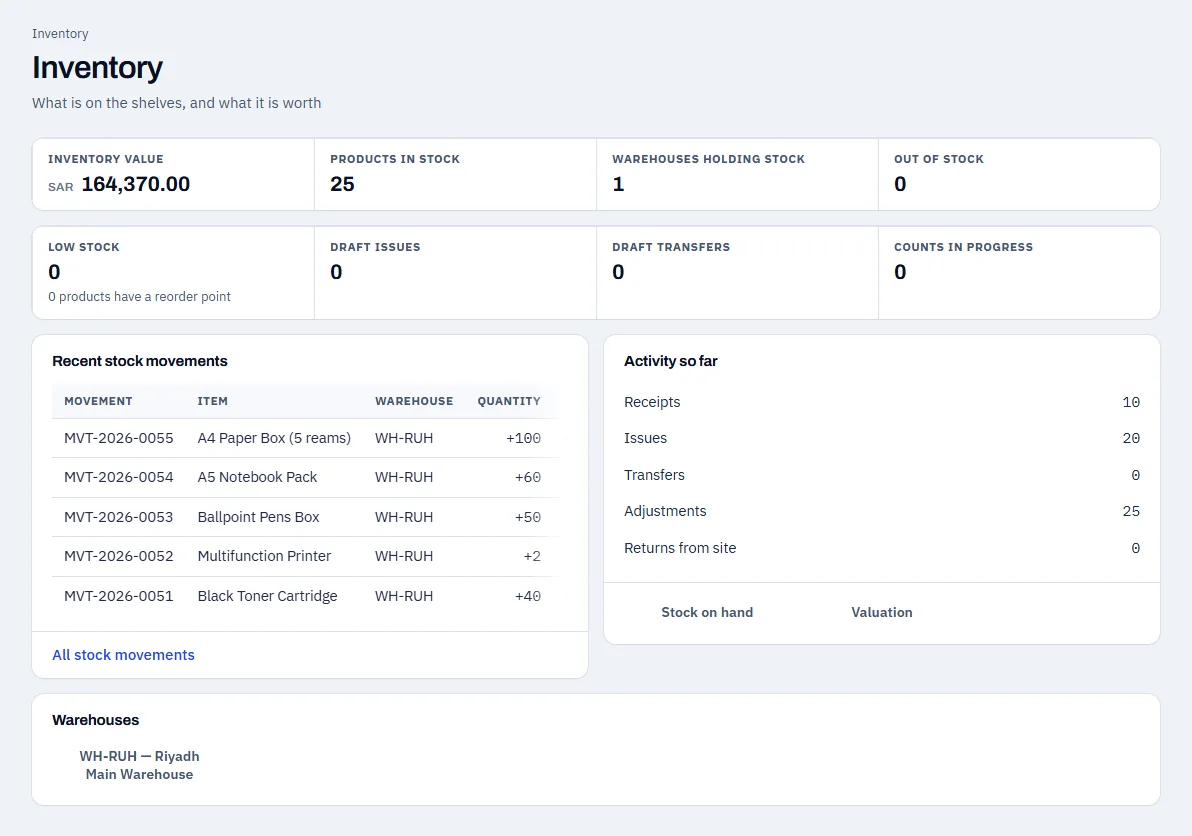
Stock value, number of items and warehouses, and the latest movements, on one page.
- Stock value at cost
- Number of items in stock
- The latest stock movements
Swipe sideways to see the whole screen
The inventory report
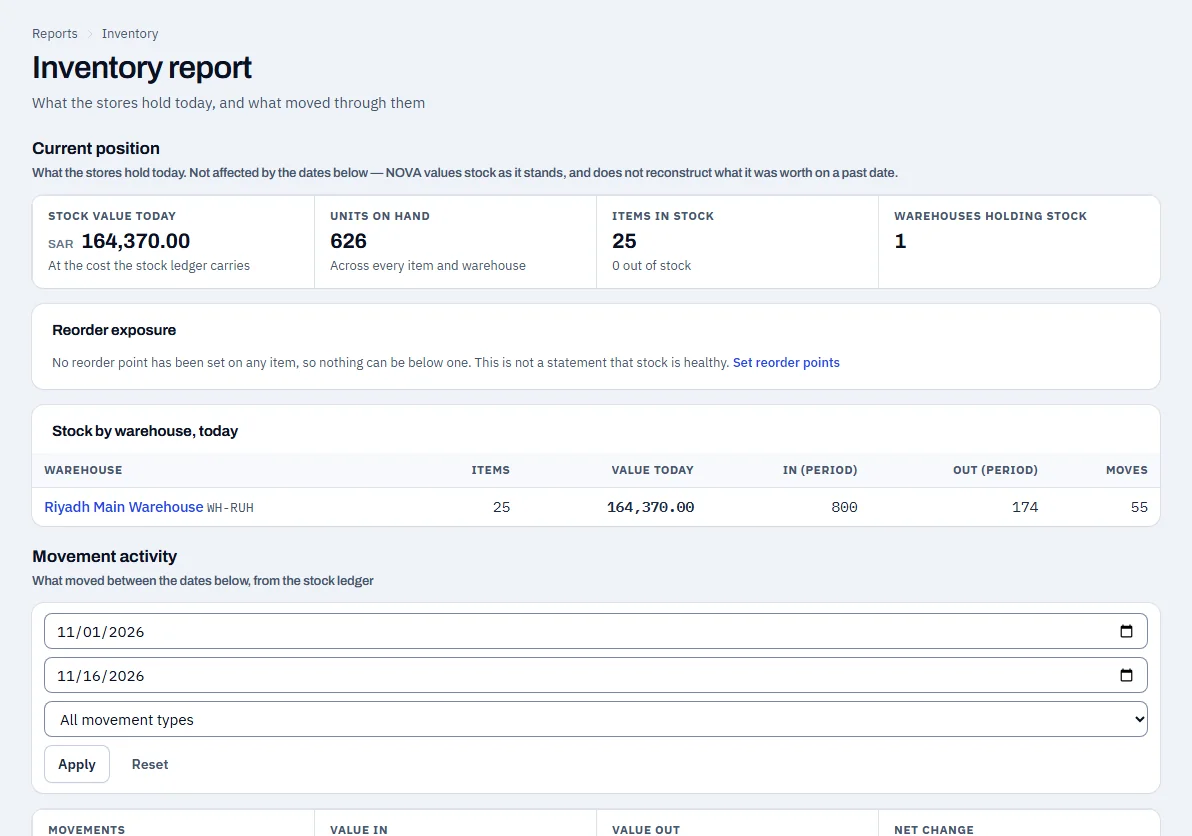
The current balance for each warehouse, and the movements for the period you choose: what came in and what went out.
- Balance by warehouse
- Period movements: in and out
- Reorder exposure
Swipe sideways to see the whole screen
How the figures move
A receipt adds to the balance
Receiving goods against a purchase order increases the item balance in the warehouse.
A delivery reduces the balance
Delivering goods to a customer reduces the balance and records the cost of goods sold.
Over-issuing is blocked
An issue larger than the available balance is not accepted: the system shows the balance available and the quantity asked for.
Stock adjustments
Correct an item balance with a recorded adjustment and a stated reason.
See NOVA on data that looks like your business
Request a demo and the Coder Link team will get in touch to agree a time.